Supported listing imports
Bring approved listing data in from supported portals, search results and feed workflows.
Bring approved listing data from supported property sources into an immersive destination experience. Each home can be pinned to its GPS location, explored alongside the surrounding area and connected directly back to the responsible agent.
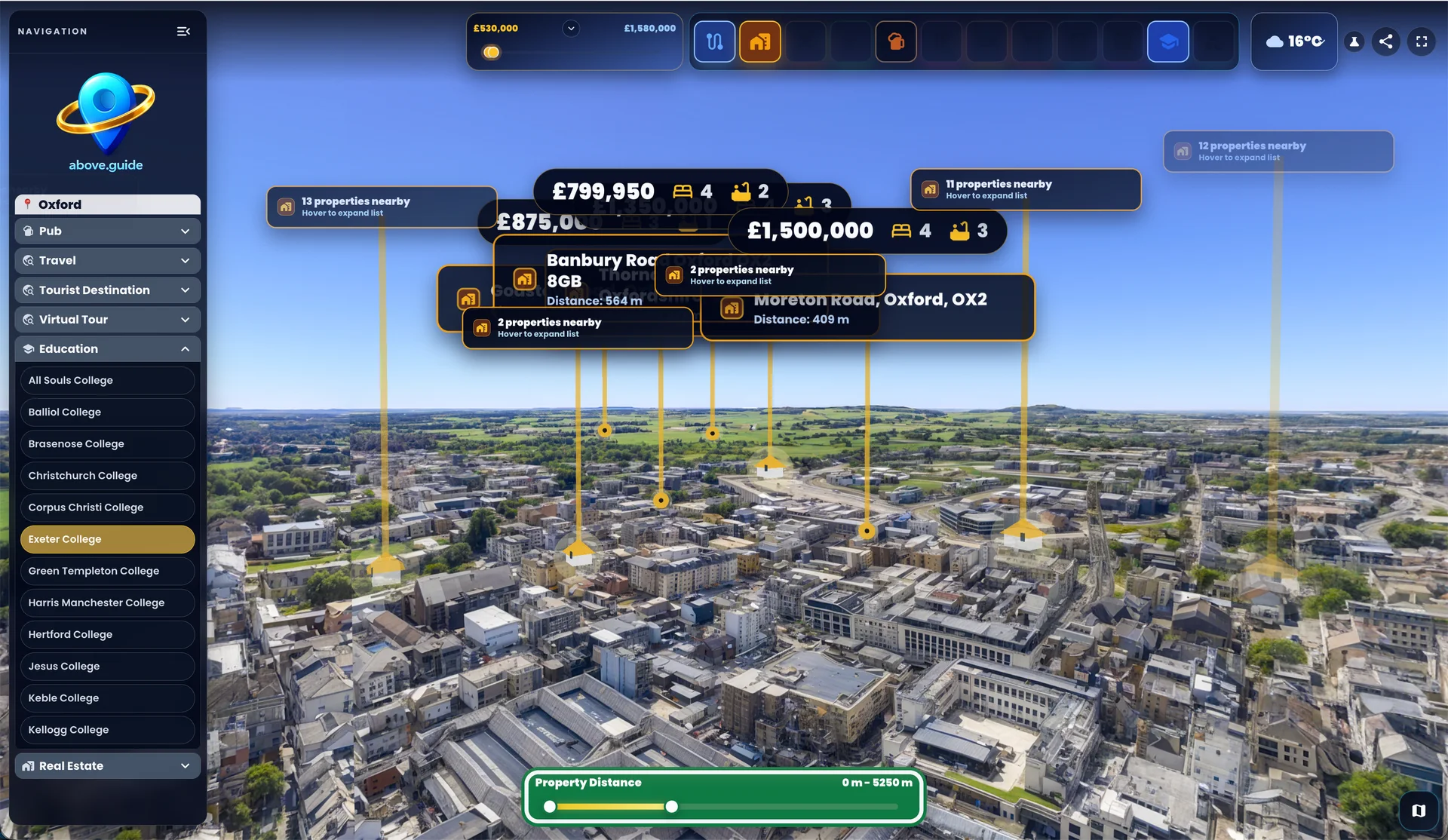
Product interface shown with demonstration listing data.
Location is more than a pin on a conventional map. Buyers and renters want to understand the relationship between a property, the neighbourhood and the places that shape everyday life.
Above Guide places live property information inside the same destination journey as transport, education, hospitality, attractions and other useful local context.
Bring approved listing data in from supported portals, search results and feed workflows.
Place each property where it actually sits within the destination and surrounding neighbourhood.
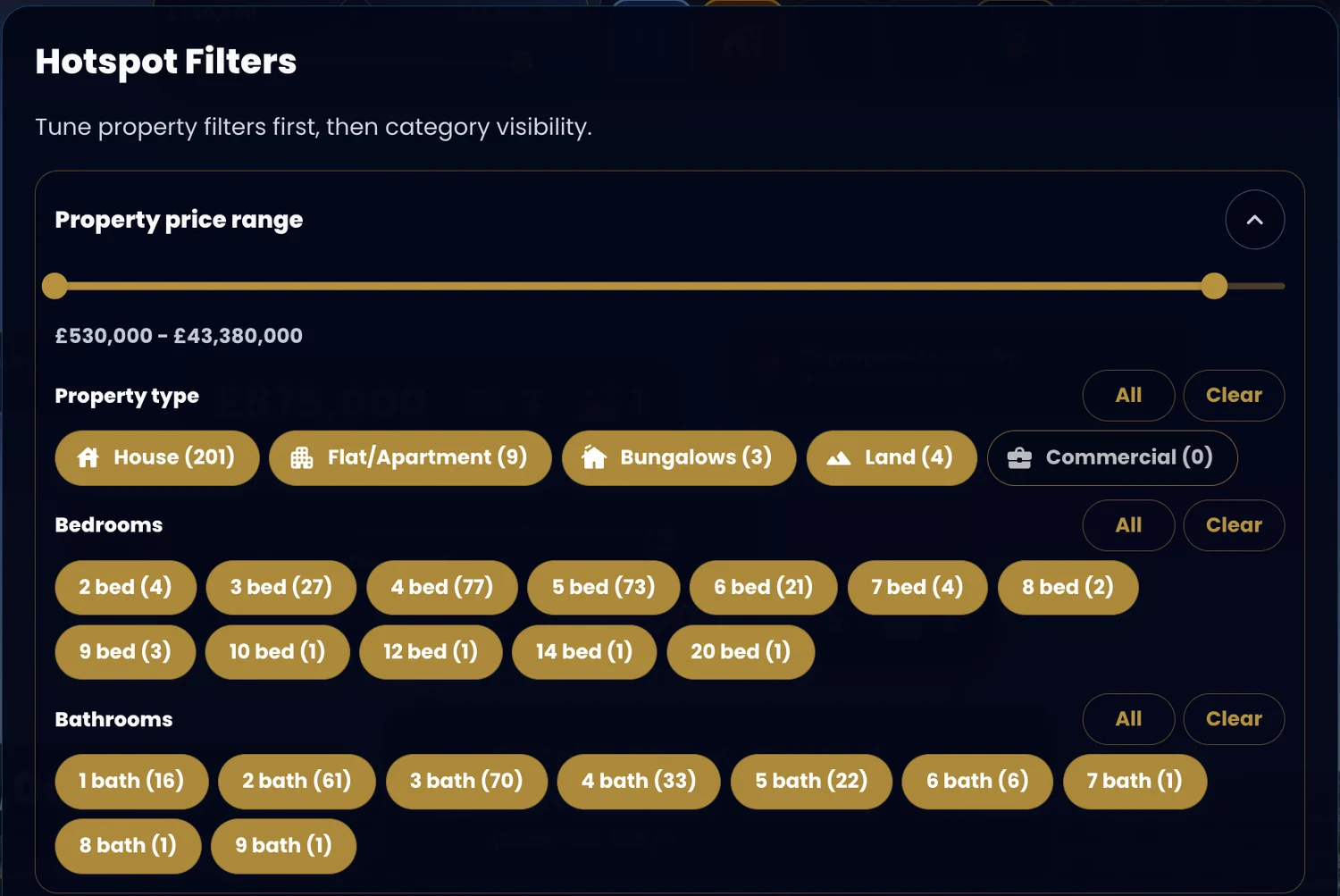
Refine the visible inventory by price, distance, property type, bedrooms and bathrooms.
Continue to the source listing, browse the album or contact the responsible agent or branch.
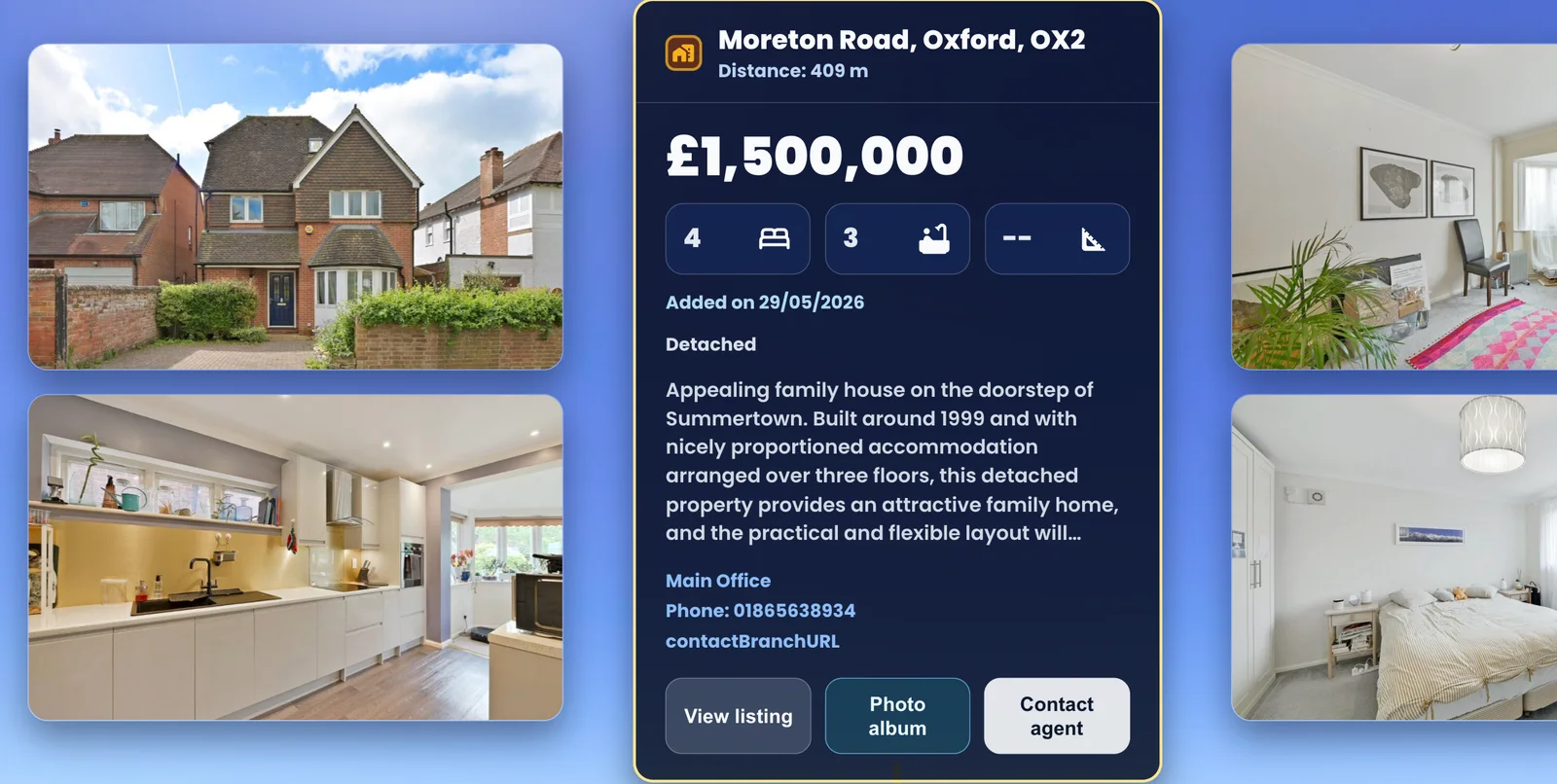
The spatial view gives a buyer orientation. The expanded property view gives them the information and next action needed to continue.
Properties appear as GPS-anchored hotspots across an aerial or ground-level scene. Nearby listings can cluster cleanly and expand when a visitor wants detail.
Visitors can narrow what they see by price range, distance from the current Above Guide viewpoint, property type, bedrooms and bathrooms.
Price, address, status, property type, room counts, imagery, description, key features and available property details stay together in one focused view.
The experience can route an interested buyer or renter to the original listing, property album, phone number, branch or agent enquiry path.
The compact price control keeps the viewer clear. Open it to reveal price range, property type, bedrooms and bathrooms, while the live distance HUD refines properties around the current viewpoint.
The workflow is designed for individual properties, search-result batches and growing agent inventories—while keeping publication controlled.
Use a supported portal, search-result workflow, authorised feed or reviewed listing source. Portal coverage depends on access rights and available integration methods.
Above Guide structures the address, price, type, bedrooms, bathrooms, status, description, agent identity and imagery into a consistent property record.
Existing coordinates are retained where reliable. Missing UK coordinates can be recovered from listing data or approved geocoding fallbacks with precision recorded.
The property is checked before it becomes a visible hotspot, protecting listing accuracy, imagery rights, agent attribution and the intended enquiry destination.
Above Guide is designed to extend discovery and context, then return qualified interest to the source listing or agent action you control.
Tell us about your inventory, markets and current listing sources. We’ll explain the available import and destination options.